> ## Documentation Index
> Fetch the complete documentation index at: https://coolcars.mintlify.site/llms.txt
> Use this file to discover all available pages before exploring further.
# Components (components.yml)
> Configuring visuals, models, and interactive vehicle elements.
The `components.yml` file is responsible for how your car looks in-game and how players interact with it. This is where you configure 3D models, seating positions, headlights, and the trunk interface.
## Models and Visualization (`models`)
CoolCars uses the `CustomModelData` system to display 3D models. You can assign different models for the body, wheels, and steering wheel.
```yaml theme={null}
models:
body-material: IRON_INGOT
body-custom-model-data: 1
# Body model with headlights on (optional)
body-material-headlights: IRON_INGOT
body-material-headlights-custom-model-data: 1
wheel-material: IRON_INGOT
wheel-custom-model-data: 2
steering-wheel-material: IRON_INGOT
steering-wheel-custom-model-data: 3
```
***
## Element Offsets (`visual`)
To ensure 3D models are positioned exactly where they need to be, offsets are used. Coordinates are specified relative to the car's center point.
* **body-offset**: Raises or lowers the body. Usually `y: 1.05` is standard to prevent the car from "sinking" into the ground.
* **wheel-offsets**: A list of 4 points for the wheels.
* **steering-wheel-offset**: Steering wheel position. It will rotate as the car turns.
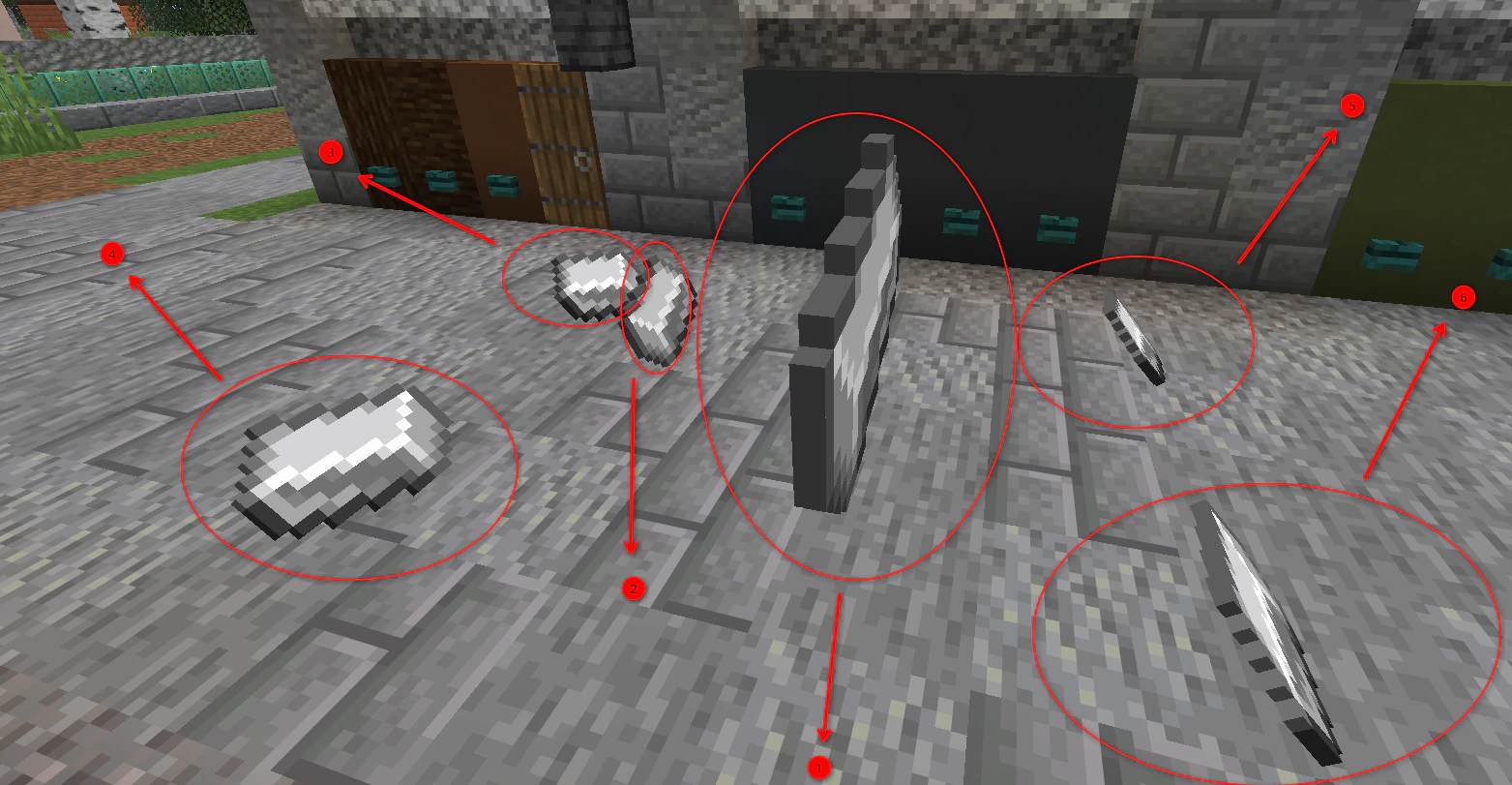
### Offset Layout Diagram
For correct configuration, use the following point numbering (top view):
 | # | Component | Description |
| :---- | :----------------- | :------------------------------------------------------------------ |
| **1** | **Body** | The main car model (`body-offset`). |
| **2** | **Steering Wheel** | The rotation point of the steering wheel (`steering-wheel-offset`). |
| **3** | **Front-Left** | The first wheel in the `wheel-offsets` list. |
| **4** | **Front-Right** | The second wheel in the `wheel-offsets` list. |
| **5** | **Rear-Left** | The third wheel in the `wheel-offsets` list. |
| **6** | **Rear-Right** | The fourth wheel in the `wheel-offsets` list. |
***
## Headlights (`lights`)
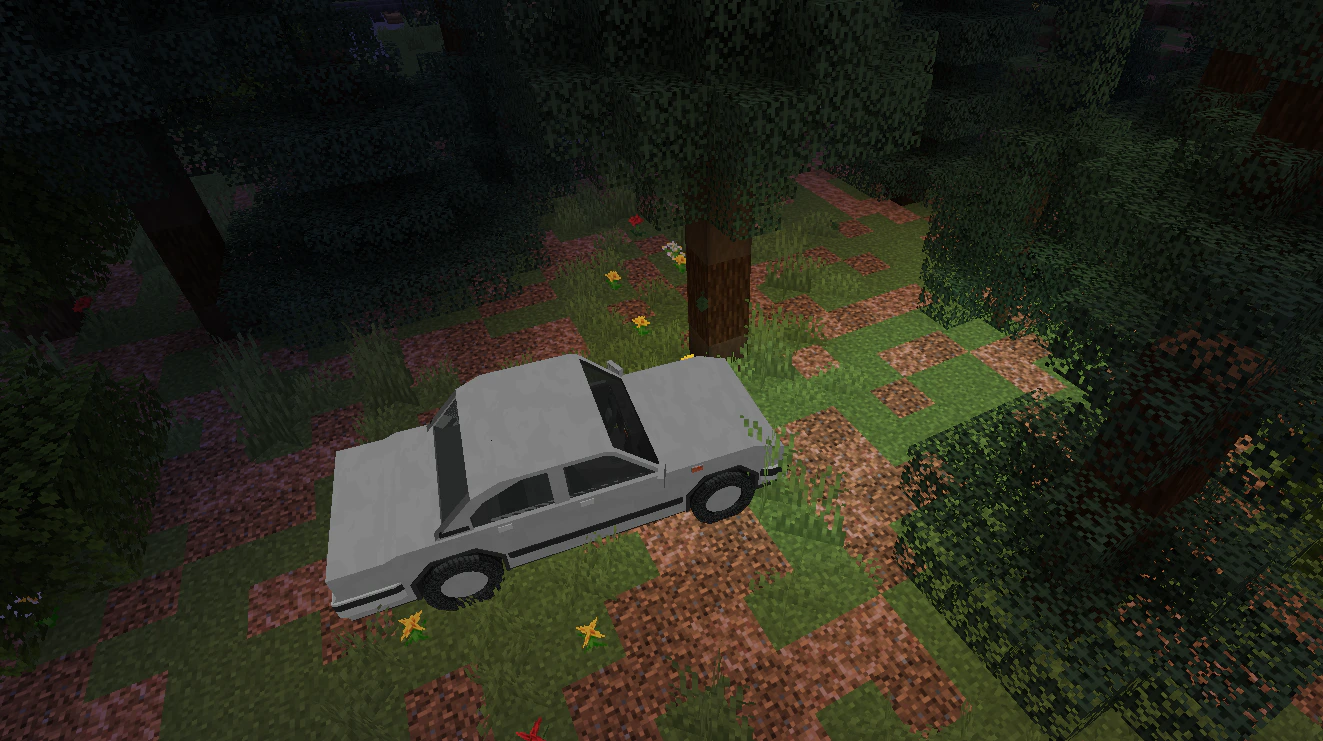
The lighting system in CoolCars allows you to create realistic light that illuminates the path in front of the car at night.
| # | Component | Description |
| :---- | :----------------- | :------------------------------------------------------------------ |
| **1** | **Body** | The main car model (`body-offset`). |
| **2** | **Steering Wheel** | The rotation point of the steering wheel (`steering-wheel-offset`). |
| **3** | **Front-Left** | The first wheel in the `wheel-offsets` list. |
| **4** | **Front-Right** | The second wheel in the `wheel-offsets` list. |
| **5** | **Rear-Left** | The third wheel in the `wheel-offsets` list. |
| **6** | **Rear-Right** | The fourth wheel in the `wheel-offsets` list. |
***
## Headlights (`lights`)
The lighting system in CoolCars allows you to create realistic light that illuminates the path in front of the car at night.
 ```yaml theme={null}
lights:
headlight-offsets:
- x: -0.46 # Left headlight
y: 0.78
z: 1.72
- x: 0.46 # Right headlight
y: 0.78
z: 1.72
range: 12.0 # Light range (in blocks)
level: 15 # Brightness (0-15)
update-ticks: 2
visible-effects: false
```
### How Headlights Work:
1. **Light Source:** The plugin creates invisible light sources at the points specified in `headlight-offsets`.
2. **Model Swap:** When headlights are turned on, the body model can change to the one specified in `body-material-headlights`. This allows for "glowing" headlight textures in your resource pack.
3. **Range and Brightness:** The `range` parameter determines how many blocks forward the light will fall, and `level` determines how bright it will be (maximum 15).
If you want the headlights to look realistic, set up a model for `body-material-headlights` in your resource pack using emissive textures (glowing in the dark).
***
## Seating Positions (`seats`)
The `seats` section defines where players will sit.
The first seat in the list is always considered the **driver's** seat. Only the driver can control the car.
```yaml theme={null}
seats:
offsets:
- x: 0.70 # Driver
y: -0.10
z: 0.45
- x: -0.55 # Passenger
y: -0.10
z: 0.54
```
***
## Exhaust System (`exhaust`)
Creates smoke particles from the exhaust pipes.
* **offsets**: Points where smoke appears (can be configured for each pipe separately).
* **base-count**: Number of particles at idle.
* **max-count**: Number of particles at full throttle.
***
## Control Menu (`menu`)
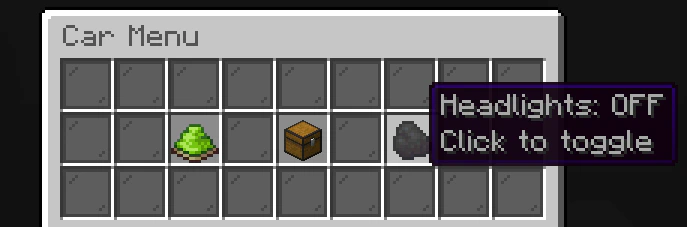
When a player presses the interaction key, a GUI opens. You can fully customize its appearance.
```yaml theme={null}
lights:
headlight-offsets:
- x: -0.46 # Left headlight
y: 0.78
z: 1.72
- x: 0.46 # Right headlight
y: 0.78
z: 1.72
range: 12.0 # Light range (in blocks)
level: 15 # Brightness (0-15)
update-ticks: 2
visible-effects: false
```
### How Headlights Work:
1. **Light Source:** The plugin creates invisible light sources at the points specified in `headlight-offsets`.
2. **Model Swap:** When headlights are turned on, the body model can change to the one specified in `body-material-headlights`. This allows for "glowing" headlight textures in your resource pack.
3. **Range and Brightness:** The `range` parameter determines how many blocks forward the light will fall, and `level` determines how bright it will be (maximum 15).
If you want the headlights to look realistic, set up a model for `body-material-headlights` in your resource pack using emissive textures (glowing in the dark).
***
## Seating Positions (`seats`)
The `seats` section defines where players will sit.
The first seat in the list is always considered the **driver's** seat. Only the driver can control the car.
```yaml theme={null}
seats:
offsets:
- x: 0.70 # Driver
y: -0.10
z: 0.45
- x: -0.55 # Passenger
y: -0.10
z: 0.54
```
***
## Exhaust System (`exhaust`)
Creates smoke particles from the exhaust pipes.
* **offsets**: Points where smoke appears (can be configured for each pipe separately).
* **base-count**: Number of particles at idle.
* **max-count**: Number of particles at full throttle.
***
## Control Menu (`menu`)
When a player presses the interaction key, a GUI opens. You can fully customize its appearance.