
components.yml file is responsible for how your car looks in-game and how players interact with it. This is where you configure 3D models, seating positions, headlights, and the trunk interface.
Models and Visualization (models)
CoolCars uses the CustomModelData system to display 3D models. You can assign different models for the body, wheels, and steering wheel.
Element Offsets (visual)
To ensure 3D models are positioned exactly where they need to be, offsets are used. Coordinates are specified relative to the car’s center point.
- body-offset: Raises or lowers the body. Usually
y: 1.05is standard to prevent the car from “sinking” into the ground. - wheel-offsets: A list of 4 points for the wheels.
- steering-wheel-offset: Steering wheel position. It will rotate as the car turns.
Offset Layout Diagram
For correct configuration, use the following point numbering (top view):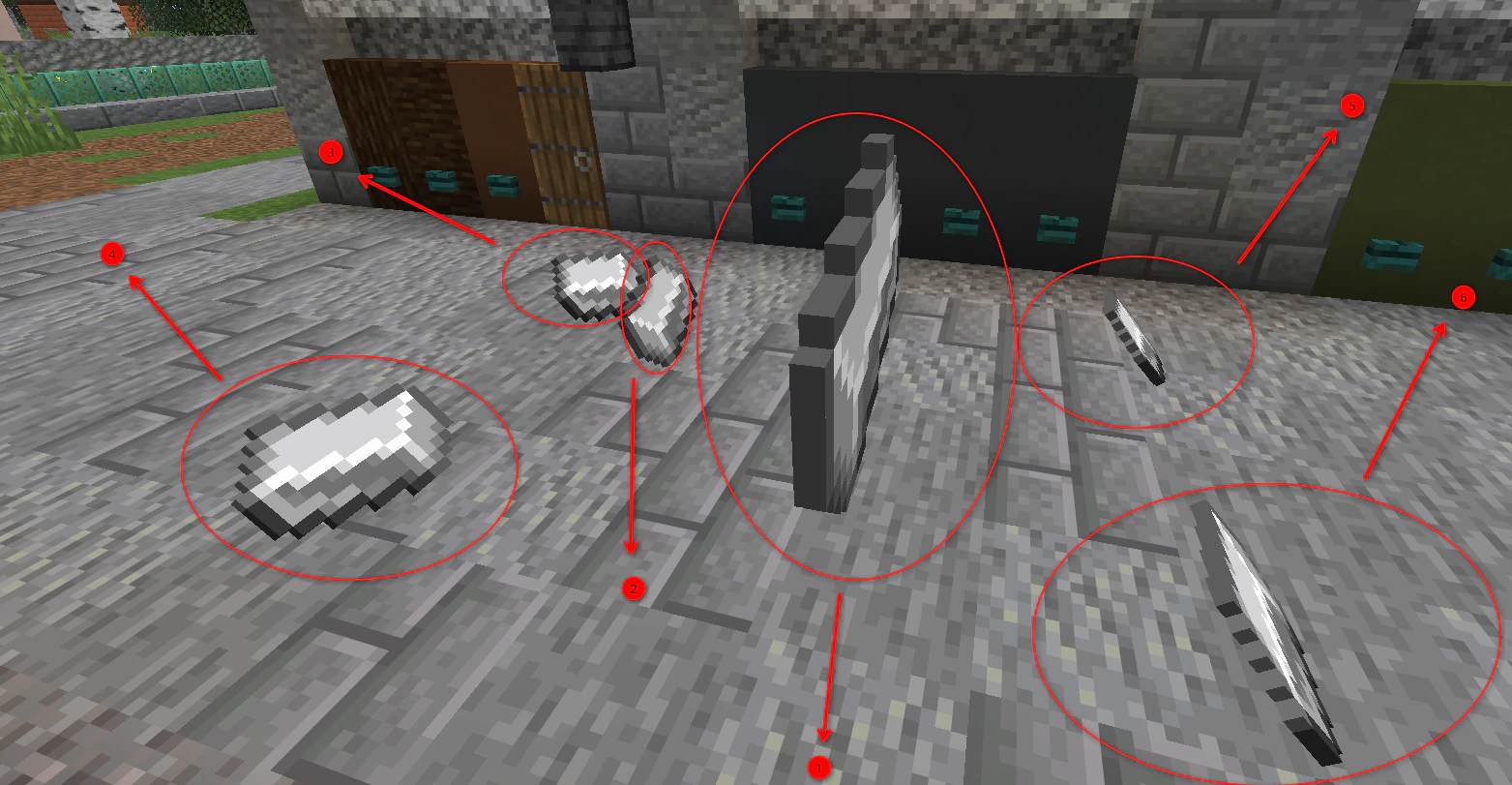
Component and offset layout diagram
Headlights (lights)
The lighting system in CoolCars allows you to create realistic light that illuminates the path in front of the car at night.
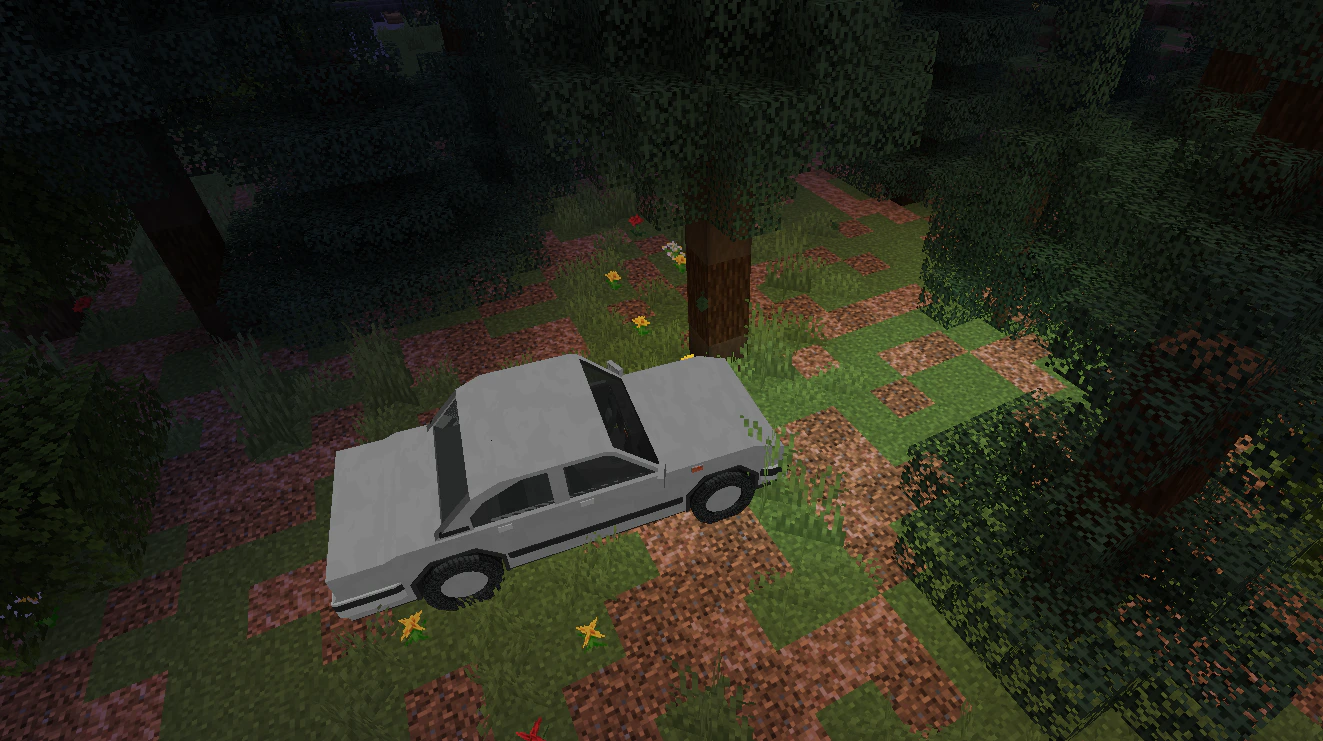
Demonstration of headlights and road lighting
How Headlights Work:
- Light Source: The plugin creates invisible light sources at the points specified in
headlight-offsets. - Model Swap: When headlights are turned on, the body model can change to the one specified in
body-material-headlights. This allows for “glowing” headlight textures in your resource pack. - Range and Brightness: The
rangeparameter determines how many blocks forward the light will fall, andleveldetermines how bright it will be (maximum 15).
Seating Positions (seats)
The seats section defines where players will sit.
Exhaust System (exhaust)
Creates smoke particles from the exhaust pipes.
- offsets: Points where smoke appears (can be configured for each pipe separately).
- base-count: Number of particles at idle.
- max-count: Number of particles at full throttle.
Control Menu (menu)
When a player presses the interaction key, a GUI opens. You can fully customize its appearance.
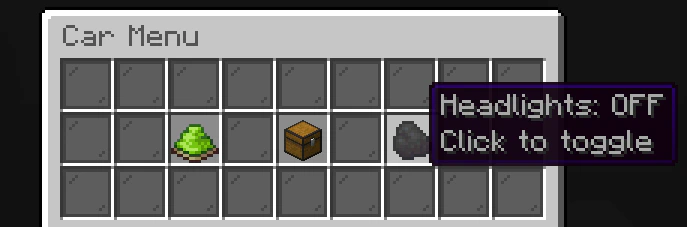
Example of a customized control menu