
localization.yml file in each car’s folder is responsible for translating interface elements specific to that model: the car control menu and the trunk header.
Important: Global plugin messages (chat messages, errors, help) are configured in the
plugins/CoolCars/lang/ folder. The file in the car folder is only for the GUI of that specific model.Control Menu (car.menu)
This section configures button names and hints in the GUI that opens when the interaction key (default F) is pressed.
Trunk (car.trunk)
You can configure the trunk inventory header.
Global Localization (lang/)
If you want to change system messages (e.g., refueling or help text), you need to edit the files inplugins/CoolCars/lang/en.yml or ru.yml.
System String Examples:
fuel.started: Message when refueling starts.repair.complete: Message when repair is successful.actionbar.car: Status bar format above the hotbar.
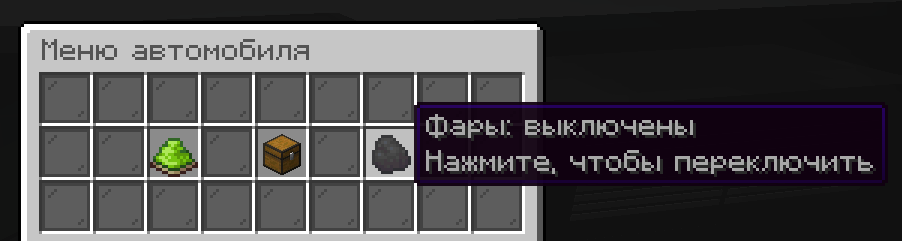
Example of a localized control menu